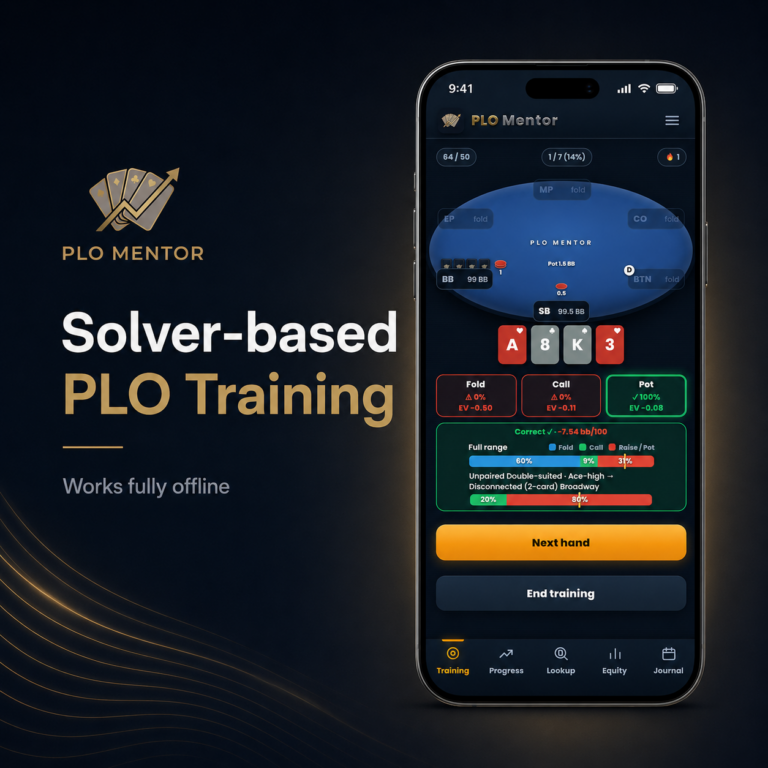
PLO Mentor is a mobile app created for poker players of all levels who want to improve their Pot Limit Omaha skills. Whether you’re a serious online grinder, a regular live player, or someone who occasionally plays PLO in a home game, this app has you covered.
Although rich in features and powered by a strong solver, PLO Mentor has a very simple and user-friendly interface, which makes it very approachable even for complete beginners and those who aren’t necessarily looking to do hardcore training.
This app lets you do things your way, set your own goals, and easily track your progress. Plus it uses your input to pinpoint the biggest leaks in your game, suggesting the particular areas to work on.
While there are many other PLO training resources out there, this is the one that you can have in your pocket at all times. You can open the app whenever you have a few minutes of spare time to run through some hands, and it feels more like you’re playing a game.
And yet, you’re constantly learning, improving, and giving the app the information it needs to identify your biggest Pot Limit Omaha leaks and help you get rid of them.
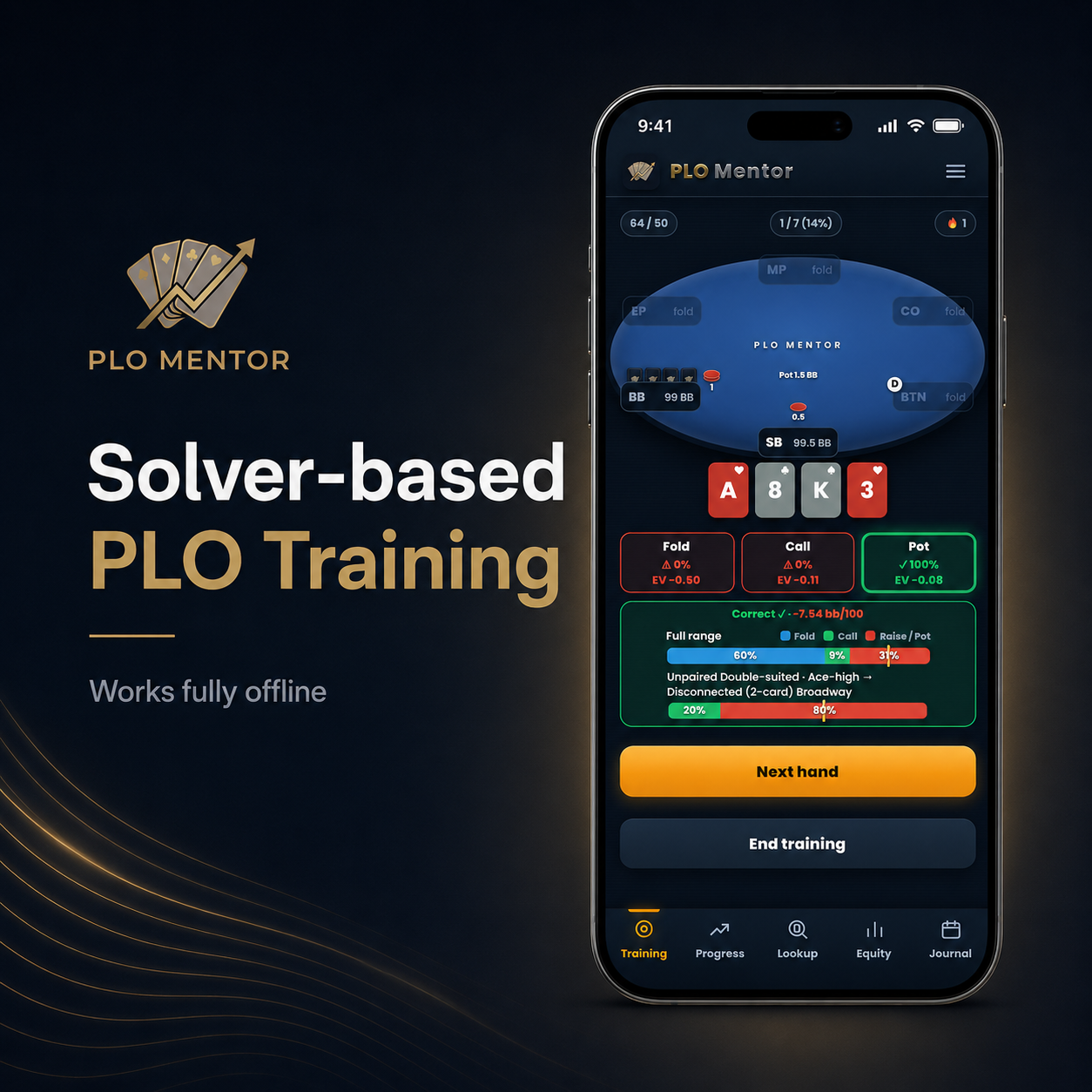
PLO Mentor at a Glance – A Host of Features
While PLO Mentor is primarily a poker training app, it comes equipped with quite a range of features and possibilities that all PLO players will appreciate, including:
- Omaha poker training – This is the core feature of the app. Pick the game type, stack depth, and a particular situation you want to train at, and get started.
- Categories – If you want to explore a very specific setup, the Categories section gives you a very high degree of flexibility: game type, position, actions, starting hand type, and more.
- Leak finder – After you’ve trained for a while, you can check your progress in the app. As you access the Progress section, the Leak Finder will list the biggest leaks it has identified and give you an opportunity to practice that particular spot with a single tap.
- Equity Calculator for PLO, PLO Hi-Lo, PLO5, and PLO6
- Journal – where you can track your sessions: wins, losses, and even crucial hands to replay and review later
Overall, PLO Mentor brings more than you’d expect from a mobile app, and as you get deeper into it and start to explore its many features, it’s hard not to be impressed.
DOWNLOAD PLO MENTOR HERE – USE CODE CPL7 TO ACTIVATE A FREE 7 DAY TRIAL
Learning the Game with PLO Mentor
This app’s main focus is on improving your Pot Limit Omaha skills, and it is a really useful tool regardless of what your current level may be.
If you’re just taking your first steps in PLO, it can help you avoid many pitfalls that beginners fall into. If you’re more advanced, PLO Mentor allows you to set up very specific scenarios to drill and see how your decisions measure against the solver output.
The main Training section offers you three choices: cash games, MTTs (20 big blinds), and MTTs (40 big blinds). This way, you pretty much get the full coverage, from deep-stack play to short-stack strategies.
Inside every individual category, you can pick one of many different scenarios, such as:
- Raise First In (RFI)
- Facing a raise in or out of position
- Against a 3-bet
- SB & BB defense
- Squeezing
- Facing a 4-bet, etc.
Once you pick a particular scenario, you can further fine-tune it by deciding what position you want to play, whether you’re facing a raise from late or early position (or both), and more. So, the app lets you really set the exact scenario you want to focus on.
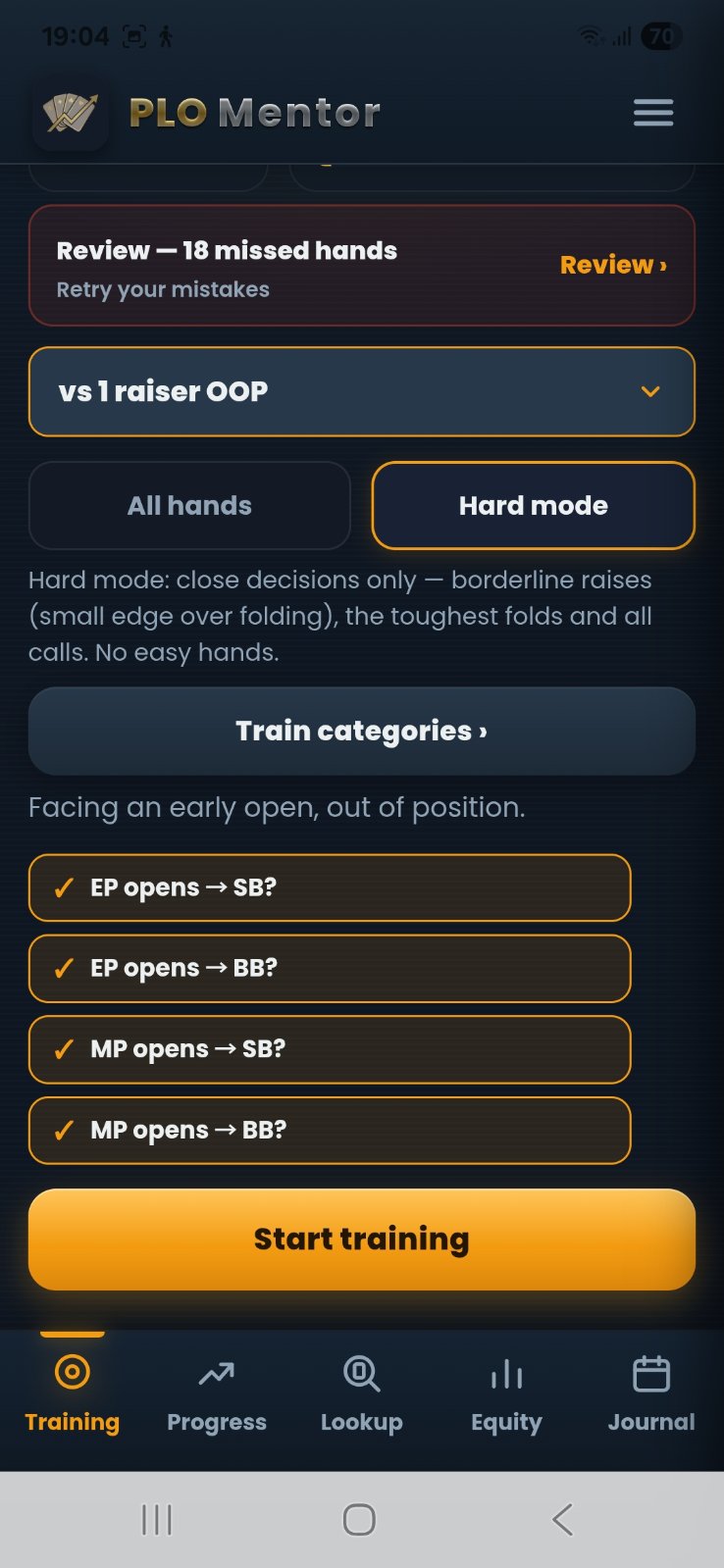
If you are a more experienced player, you can switch to Hard Mode. In this mode, the app will choose only very close situations, where the EVs between raising and folding, for example, run very close. This is quite challenging, but also great for those who are trying to find the small edges in tough games.
Once you set everything up, simply click Start Training, and your training session will begin. On each hand, you’ll have to make a decision, and once you decide, you’ll immediately get feedback on whether your decision was the correct one, as well as the EV difference between different options.
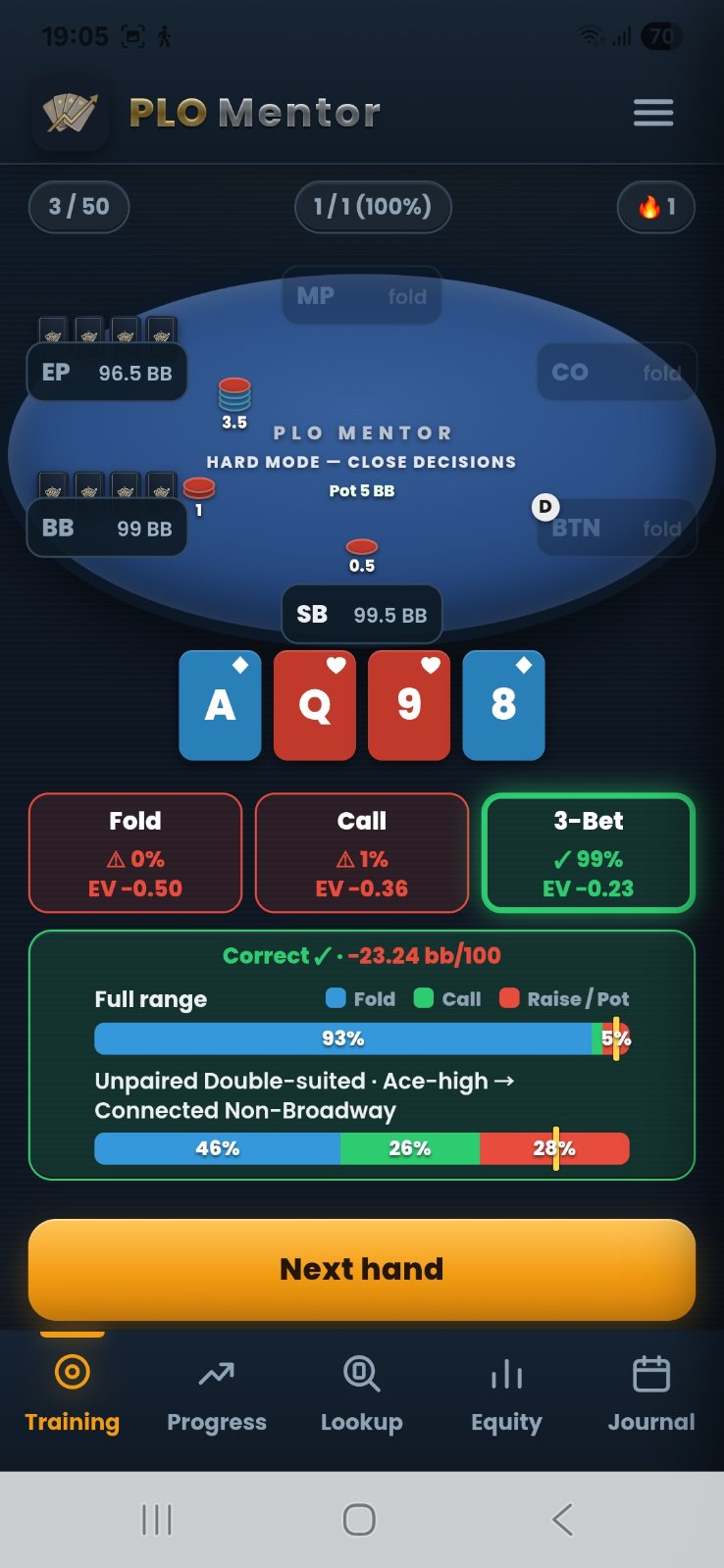
You can train for as long as you want, as new hands will keep on coming. When you’re done, tap End Training, and you’ll get a mini report on your overall accuracy, total EV gain or loss, and the opportunity to replay (and fix) your mistakes.
Tracking Progress & Fixing Leaks
If you want to get the most out of the PLO Mentor app, you need to play through as many hands as possible. It naturally requires a hands-on approach to learning the game, but it really works.
That said, the app doesn’t leave you to your own devices when it comes to figuring out where your biggest leaks might be and what you should focus on the most.
When you go into the ‘Progress’ section, you’ll see the total number of hands you played through up to that moment, your overall accuracy percentage, and an easy way to access all the hands that you made mistakes in.
Just below that is the Leak Finder, which will list the top areas that you need to work on.
Naturally, the more hands you put in, the better this feedback becomes, as the app can better recognize any areas that you make consistent errors in. Maybe it is calling too much in position, not 3-betting enough, or defending your small blind too frequently.
Whatever the case may be, the leak will be clearly listed and described, with a ‘Drill Now’ button next to it. By tapping that button, the app will take you into the training mode, where you’ll be practicing that particular scenario over and over.
Even if you’re just a casual player and only use the app every now and again to play through some hands, make sure to visit this section after a little while and see what it has to say. It could be a real eye-opener and provide you with some very specific insights that could immediately improve your win rate.
Some PLO mistakes are quite obvious once they are put in perspective, and PLO Mentor does a great job of that.
DOWNLOAD PLO MENTOR HERE – USE CODE CPL7 TO ACTIVATE A FREE 7 DAY TRIAL
Range Explorer & Hand Categories
Pot Limit Omaha is a very complex game with so many different hand categories to address. PLO Mentor gives you a great way to explore all of these via its ‘Categories’ section.
In this section, you’ll find the full library of solved hands broken down by game types, positions, and hand sections of the range, such as:
- Full range
- Unpaired double-suited hands
- Unpaired single-suited
- One-pair rainbow
- One-pair suited, etc.
You can tap on any of these categories to get the full list of hands for a quick overview, or you can tap Train button to start playing through these specific scenarios, such as:
- Two pair, double suited hands from early position
- Unpaired rainbow hands on the button
- Two pair rainbow hands in the small blind, etc.
If you’re new to the game, this section can give you a pretty good idea of what your starting ranges should actually look like from different positions, and you’ll probably be surprised at how many hands that look playable you should be folding, especially in early positions.
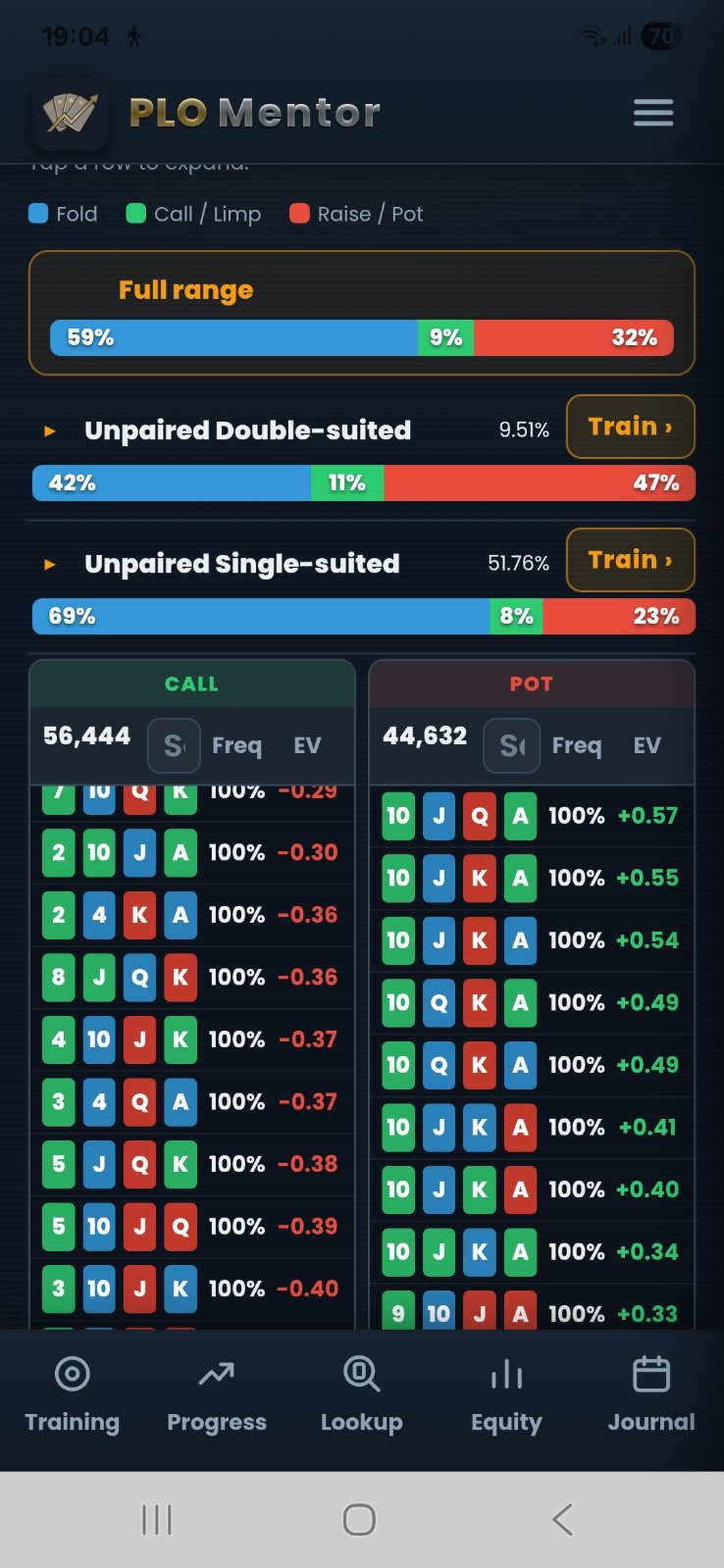
For more advanced players, the range explorer is a powerful tool that can help you really structure your ranges from different positions and understand the nuances between hands that look similar, but the solver treats them quite differently.
Your Session Journal
PLO Mentor rounds things up nicely with its Journal feature. It can best be described as an elaborate bankroll tracker with extra features.
The most basic thing it lets you do is track your profit and loss per session, providing a nice breakdown of your total profit (lifetime or for a certain period), your hourly win rate, hours played, average buy-in, and more.
This alone is pretty cool and something that you often need to get a standalone app for (and pay for it, if you don’t want any ads or restrictions). But PLO Mentor goes a step further.
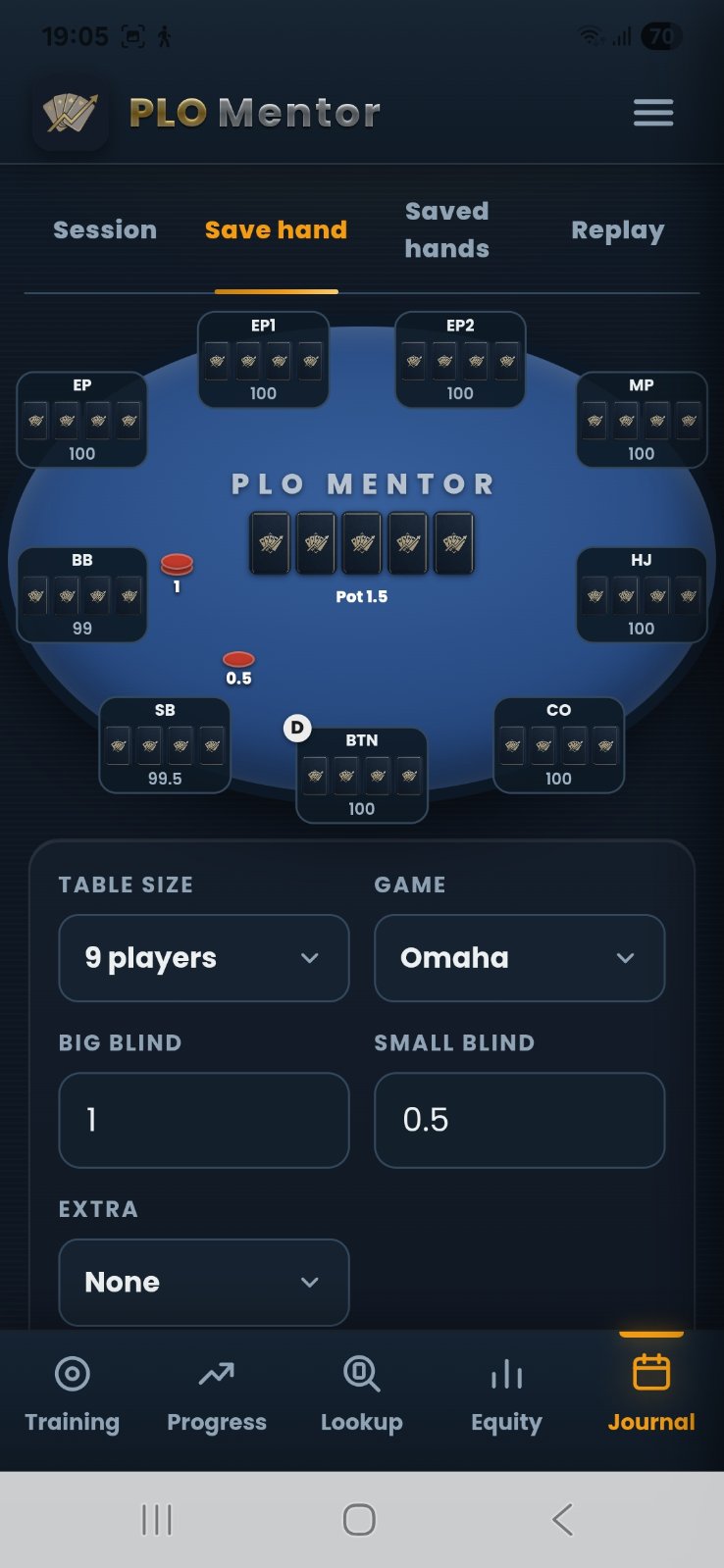
It also has a ‘Save a Hand’ feature, where you can easily input any interesting or tricky hands using a graphic interface and replay them later. This means that you can have full hand histories ready to study later on.
Is PLO Mentor Worth the Money?
PLO Mentor operates on a monthly subscription model, and you usually get three days free to test the app without any restrictions and see how you like it. However, we have a special deal in place that gives you a seven-day free trial period when you use the code CPL7.
This should give you more than enough time to decide for yourself after you download the app, but in this writer’s opinion, for $7 a month, you get more than enough value from this app, even if you only play PLO a few times a month in a live setting.
If you’re a more serious player who puts in a lot of volume, live or online, all the knowledge you can get from the app easily covers the cost, even if you play at the lowest of stakes.
The best thing is that you get to learn in a fun and relaxed way, where it feels more like playing and less like studying. Plus, bankroll tracking and hand save & replay features on their own will significantly improve your PLO experience.
Check it out for yourself and see if it suits your style, but for everything it provides, it’s hard to see how PLO Mentor wouldn’t be worth a few bucks a month.